For wedding & social planners
Wedding floor plan & seating chart software for planners
Draw seating charts and reception layouts without learning enterprise software. AllSeated became Prismm, and Prismm access ends June 2027, so EventDiagram is the independent place to land. You get sweetheart and head tables at real sizes, guest lists with meals, to-scale reception plans, and a 3D view the couple can actually read. See 15 wedding floor plans drawn to scale.
Built for social events
The furniture and the guest list, in one plan
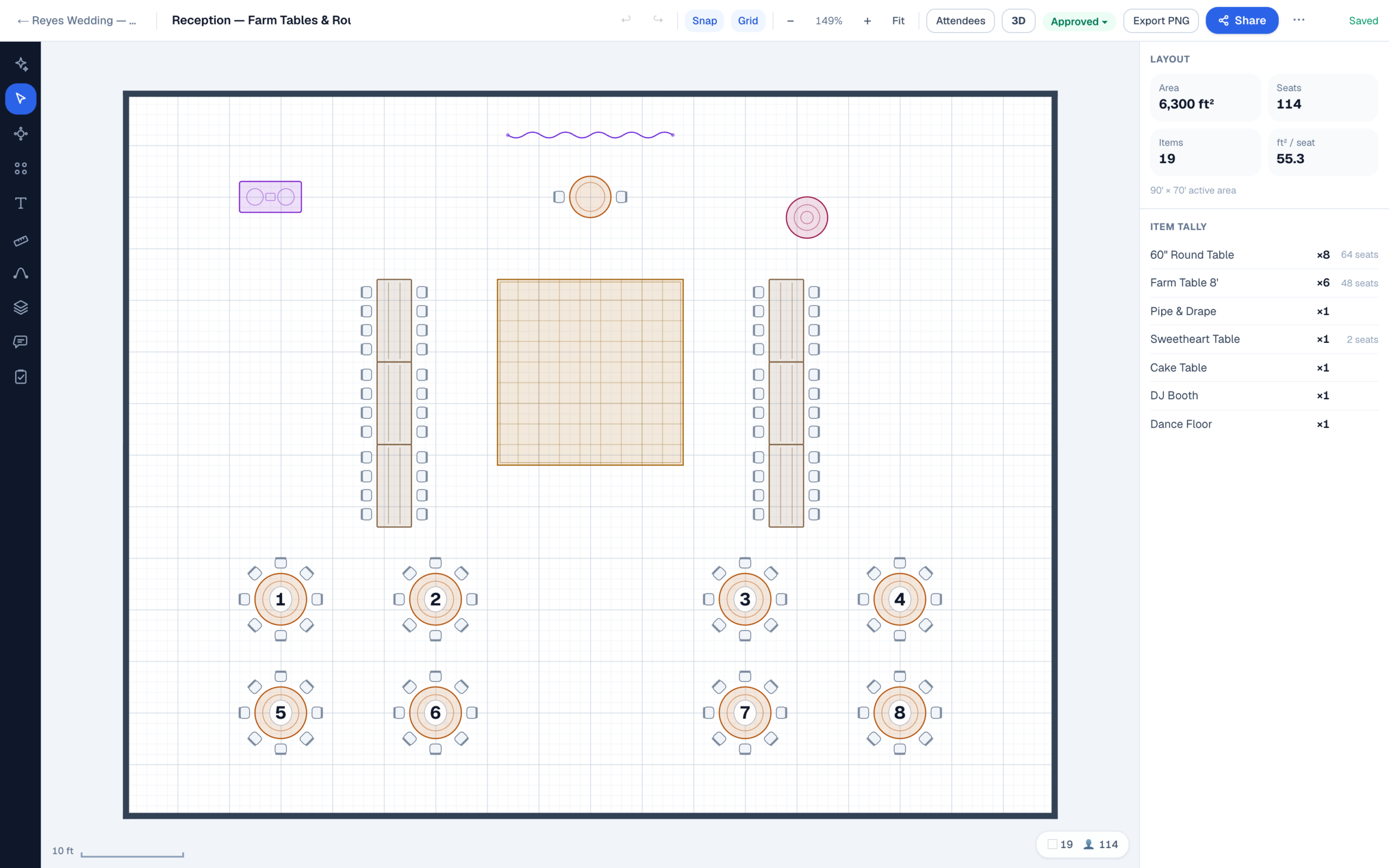
Everything is drawn in real feet, because planners notice when it isn’t. A 60″ round is 5 feet across and seats 8 comfortably, or 10 if every guest is a good sport. Every chair, aisle, and dance floor holds its true size on the plan, so if the spacing clears on screen, it clears in the room.
The flip & the rain plan
Rough plan at 60 days. Final at two weeks. Rain plan ready the whole time.
The floor plan used to be the venue’s job, but increasingly it isn’t. At raw spaces, barns, and tent weddings there is often no banquet manager drawing room sets all day, and the diagram falls to the planner, or straight to the couple. If the plan is going to land on your desk anyway, it should land in software priced for one planner rather than a hotel chain. That’s exactly what the $9 Solo plan is for.
Most planners already run the same cadence: a rough layout around 60 days out, enough to prove the room actually works at the real guest count, then a near-final version about two weeks before the wedding, locked after the final walkthrough. In EventDiagram both versions live under the same event, next to the guest list, so the plan the caterer prints is the plan the couple approved.
The flip. Ceremony and reception live as separate diagrams, not one overloaded drawing. Set the ceremony with the processional aisle at a real width and chair rows at real spacing, then duplicate it and rebuild the copy as the reception in the same room. Side by side, the two layouts are the flip plan. The venue crew sees exactly which pieces move where during cocktail hour, and nobody has to decode one PDF with everything drawn on top of itself.
The rain plan. Treat it as a deliverable: one more diagram under the same event, drawn for the covered space at the same real dimensions. When the weather call gets made the morning of, plan B is already to scale and already in every vendor’s hands, not a sketch invented at 7 a.m.
Client approval
One link. The couple, the venue, the vendors.
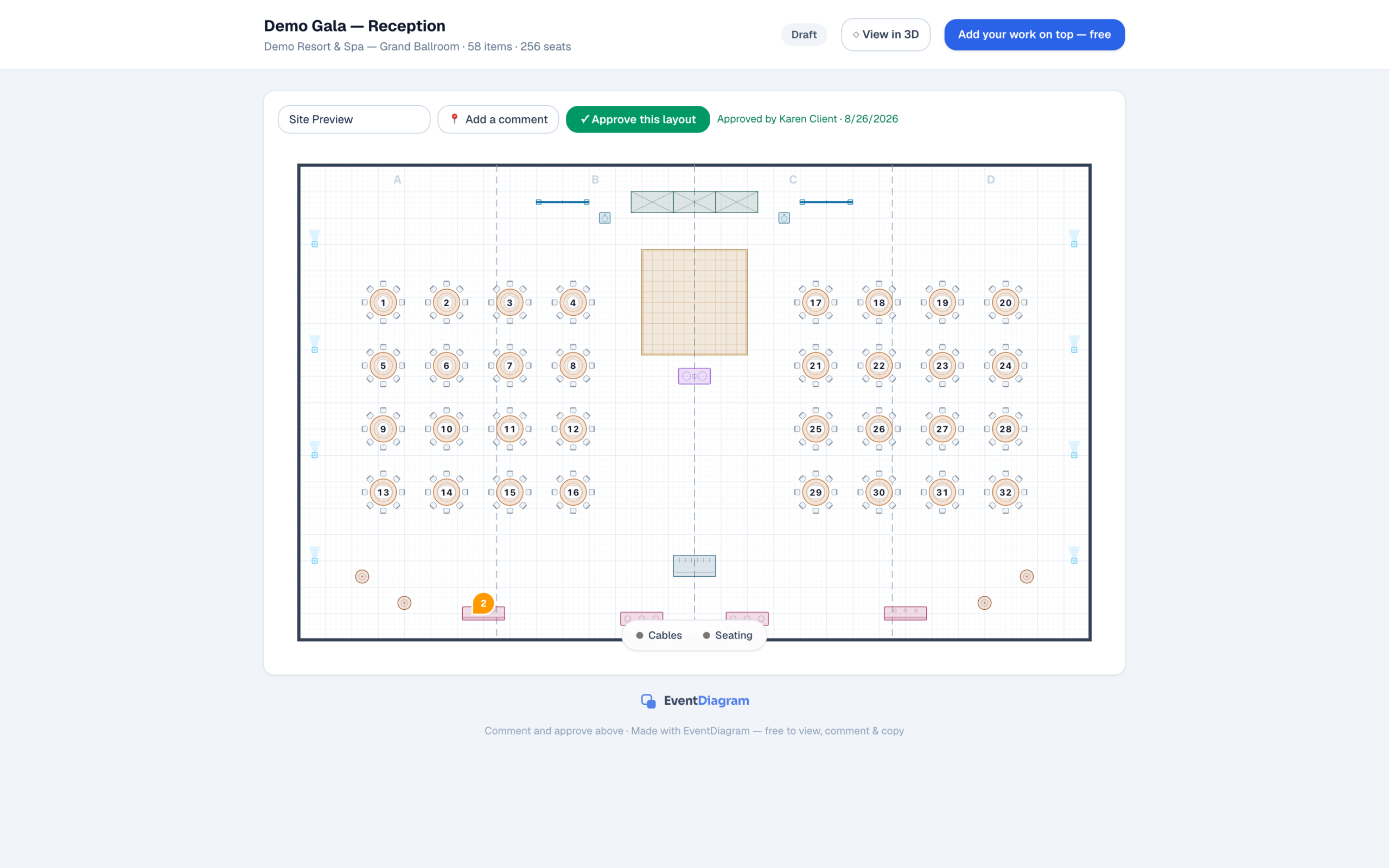
Send the plan as a link instead of a PDF. Comments land right on the table someone is asking about, and the approval carries a timestamp you can point to later. Nobody creates an account, and nobody pays.
FAQ
Questions from independent planners
I’m coming from AllSeated / Prismm. Will you rebuild my templates?
Yes, and you don’t need to be a venue to get help. Export your go-to layouts as PDFs and send them to us. We’ll rebuild your most-used reception templates as editable, to-scale EventDiagram layouts when you start. Prismm access ends June 2027 and access ends June 2027, so export everything now even if you end up somewhere else.
Does the free plan actually work for a solo planner?
For trying it on a real wedding, yes. Free gives you one active diagram at real scale, unlimited free viewers and commenters, and the core object library with real dimensions. Archive the wedding after it happens and the slot frees up for the next one. If you’re juggling several weddings at once, that’s what Solo at $9/month is for: unlimited active events and clean, watermark-free exports.
What does it cost when I outgrow the free plan?
Solo is $9/month for one planner with unlimited events. Pro is $18/month and adds three editor seats, the full production library, 3D, and the AI copilot. Billing is monthly with no annual commitment, and viewers and commenters stay free on every plan. Venue plans (from $149/property/month) are for properties, not planners — you will probably never need one.
Is there a guest limit?
No attendee caps that force an upgrade mid-event. For comparison, Cvent Event Diagramming’s published Free, Standard, and Pro tiers cap attendee lists at 150 per list — only their $320/month Premium tier lifts it (as listed August 2026).
Do the couple and the venue need accounts?
No. A share link opens in the browser, and the couple, the banquet manager, the caterer, and the band can all view and comment without creating an account or paying anything, on every plan including Free. Approvals stamped against a version of the plan are part of the paid workspace, included from Solo ($9/month) up. Accounts are only for the people who edit the plan, which on most weddings is just you.
Do I have to learn enterprise software?
No. Pick a room, drag furniture, send a link. That’s the whole workflow. There’s no BEO module, no procurement process, and no sales call between you and a diagram.
The full sunset timeline lives on the Prismm migration page, and the step-by-step export checklist is on the blog.
Rebuild your go-to layouts once — and keep them
Start free, send us your AllSeated exports, and get your most-used templates back as editable, to-scale plans.
No credit card required