Head-to-head · updated September 8, 2026
EventDiagram vs Social Tables: the head-to-head, without the 12-month contract
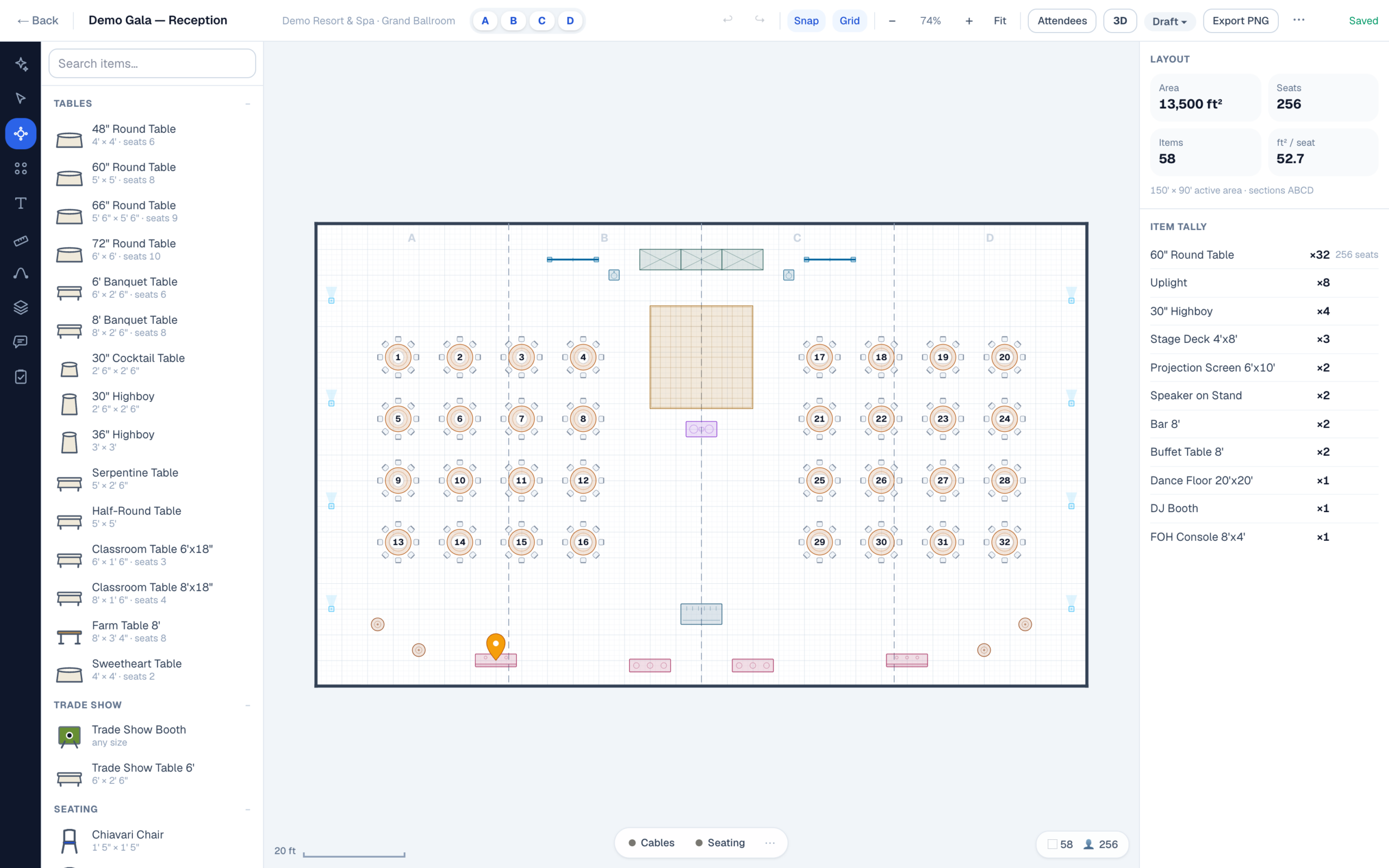
One tool against the other, line by line: pricing, commitments, user and attendee limits, 3D, and getting your plans in and out. EventDiagram does the job you actually hire Social Tables for — to-scale event diagrams every stakeholder can approve — with monthly billing, unlimited free collaborators, and concierge import of the plans you already have. Weighing every option instead? Start with the full list of Social Tables alternatives.
Side by side
EventDiagram vs Social Tables, line by line — including where Cvent wins
| Social Tables (Cvent Event Diagramming) | EventDiagram | |
|---|---|---|
| Published pricing | Free; Standard $49/mo; Pro $150/mo; Premium $320/mo; Enterprise custom (as listed Aug 2026) | Free $0; Solo $9/mo; Pro $18/mo; Business $149/mo per workspace; Small Venue $49 or Venue $149 per property/mo, by the size of the building; Large Venue quoted in one call. Choose Business if you work at lots of venues, a venue plan if people hold events at yours |
| Billing commitment | “All paid plans have a 12-month commitment” — Cvent’s pricing page and socialtables.com/pricing, checked September 2026. Cvent’s newer Prismm-era pricing pages omit that line and show a monthly/annual toggle. | Monthly on every plan; optional annual saves ~2 months |
| Users on a paid plan | 1 paid user account on every tier below Enterprise — Cvent lists unlimited free collaborators on all tiers, with real-time edit or view access, including for people without a Cvent account | Pro includes 3 editors at $18/mo; Business ($149/mo) opens the whole company — unlimited editors, your own object library, and one venue’s floor plans converted by us; venue plans include unlimited team members. Viewers & commenters are free on every plan. One person edits a diagram at a time — we don’t do simultaneous editing yet |
| Event limits | Free: 3 events, 2 diagrams each · Standard: 15/yr · Pro: 50/yr, 3 diagrams each · Premium: unlimited | Free: 1 active diagram (archive to free the slot) · every paid plan: unlimited events and diagrams |
| Deleting a diagram | “Diagram deletion is limited to Premium” — Cvent’s own feature matrix. Below $320/mo, a filled slot stays filled | Archive and restore on every plan including Free — the slot frees up, and nothing is ever deleted |
| Attendee list size | 150 attendees per list on Free, Standard and Pro — unlimited only on Premium ($320/mo) | No attendee caps on any plan — a 500-guest gala seats the same on Free as on Large Venue |
| Venue network & brand | The category benchmark: a venue library of over 6,700 floor plans, 96,000 planner users, the Cvent ecosystem, registration/sourcing integrations | A young, transparent venue library — each plan traced from the venue’s own published materials, labelled unverified until the venue confirms it, with the scale evidence and known limitations printed on every page |
| 3D | Photo-Realistic 3D, strengthened by the Prismm acquisition — listed as a separate solution, and the 3D Virtual Tour is rendered by Cvent’s 3D artists. Cvent does not publish which Event Diagramming tiers include it | 3D on every plan from $18/mo — one click, generated from the same scene data, no separate model and no quote |
| Getting your plans in | Professionally drawn floor plans, included from $49/mo | Send us the PDF — we trace it to scale. One property is converted for you on Business ($149/mo); at your own venue, one event space on Small Venue ($49/property/mo) or up to five on Venue ($149/property/mo) |
| Getting your data out | Exports available in-product | Open exports on every plan including Free — PDF, image and guest-list CSV. Your content is yours to export at any time; that’s §10 of our Terms, in writing |
Competitor details from Cvent’s own pricing pages and product materials, checked 3 September 2026. If something here is out of date, tell us and we’ll correct it.
Migration
Switching is a workflow, not a leap
Send us your PDFs
Your standard room setups come back as editable, to-scale diagrams — one property is converted for you on Business, one event space and three standard setups on Small Venue, and up to five event spaces and ten standard setups on Venue.
Run both, side by side
A 60-day parallel-use period means you prove the workflow on a real event before you commit to anything.
Leave whenever you want
Monthly billing and a written export-and-rollback guarantee. Ask about credit for an overlapping Cvent contract.
Migrating a property rather than a planner practice? See how EventDiagram works for hotels & event venues.
FAQ
EventDiagram vs Social Tables — common questions
Is Social Tables the same thing as Cvent Event Diagramming?
Yes. Cvent acquired Social Tables in 2018 and has renamed the product Cvent Event Diagramming. In April 2025 Cvent also acquired Prismm (formerly AllSeated), consolidating the category’s two main tools into one company.
What does Social Tables actually cost?
As of August 2026, Cvent’s published pricing lists Free ($0 — 1 user, 3 events, 2 diagrams per event, 150 attendees per list), Standard at $49/month (1 user, 15 events per year), Pro at $150/month (1 user, 50 events, 3 diagrams per event), Premium at $320/month (unlimited events, diagrams and attendees), and custom Enterprise. Cvent’s pricing page and socialtables.com/pricing both state “All paid plans have a 12-month commitment” (checked September 2026); Cvent’s newer Prismm-era pricing pages omit that line and show a monthly/annual toggle. Every published tier below Enterprise includes exactly one user account, though Cvent lists unlimited free collaborators on all of them.
Why does the 150-attendee cap matter?
Because it’s on Free, Standard and Pro — so a single 200-person gala pushes you to the $320/month Premium tier on a 12-month commitment, purely to hold a guest list. EventDiagram has no attendee caps on any plan, including Free — see the seating chart software.
When is Social Tables the better choice?
If you need the full Cvent ecosystem — registration, sourcing, attendee management, enterprise procurement, and a global support organization — Cvent’s platform breadth is real and we won’t pretend otherwise. EventDiagram wins when the job is the diagram: faster workflow, free collaboration, monthly pricing, and open data.
Can you import my existing Social Tables diagrams?
Yes — export your diagrams to PDF and send them to us (or upload them). We convert your standard room setups into editable, to-scale EventDiagram layouts; one property is converted for you on Business, one event space and three standard setups on Small Venue, and up to five event spaces and ten standard setups on Venue.
Want the wider field? Read every Social Tables alternative, compared, or the breakdown of what Social Tables really costs per event and per editor. Coming from Prismm or AllSeated instead? See the Prismm & AllSeated migration hub.
See your ballroom in EventDiagram this week
Start free, or send us one Social Tables PDF and get back a working, to-scale diagram.
No credit card required
EventDiagram is not affiliated with, endorsed by, or sponsored by Cvent, Social Tables, or Prismm. All product names, logos, and brands are property of their respective owners and are used for identification purposes only. Competitor pricing and policy details are drawn from public sources and dated where shown; tell us if something is out of date and we’ll fix it.