Free to start · no card
Event floor plan software, free to start
Draw the event space once, to real dimensions, and lay out every set in it — tables, staging, dance floor, bars, buffets. Every object is its true size in feet and inches, so the plan you hand to a client is the plan the room can actually hold. Start free, on any room, without talking to sales. See 63 example floor plans drawn in it.
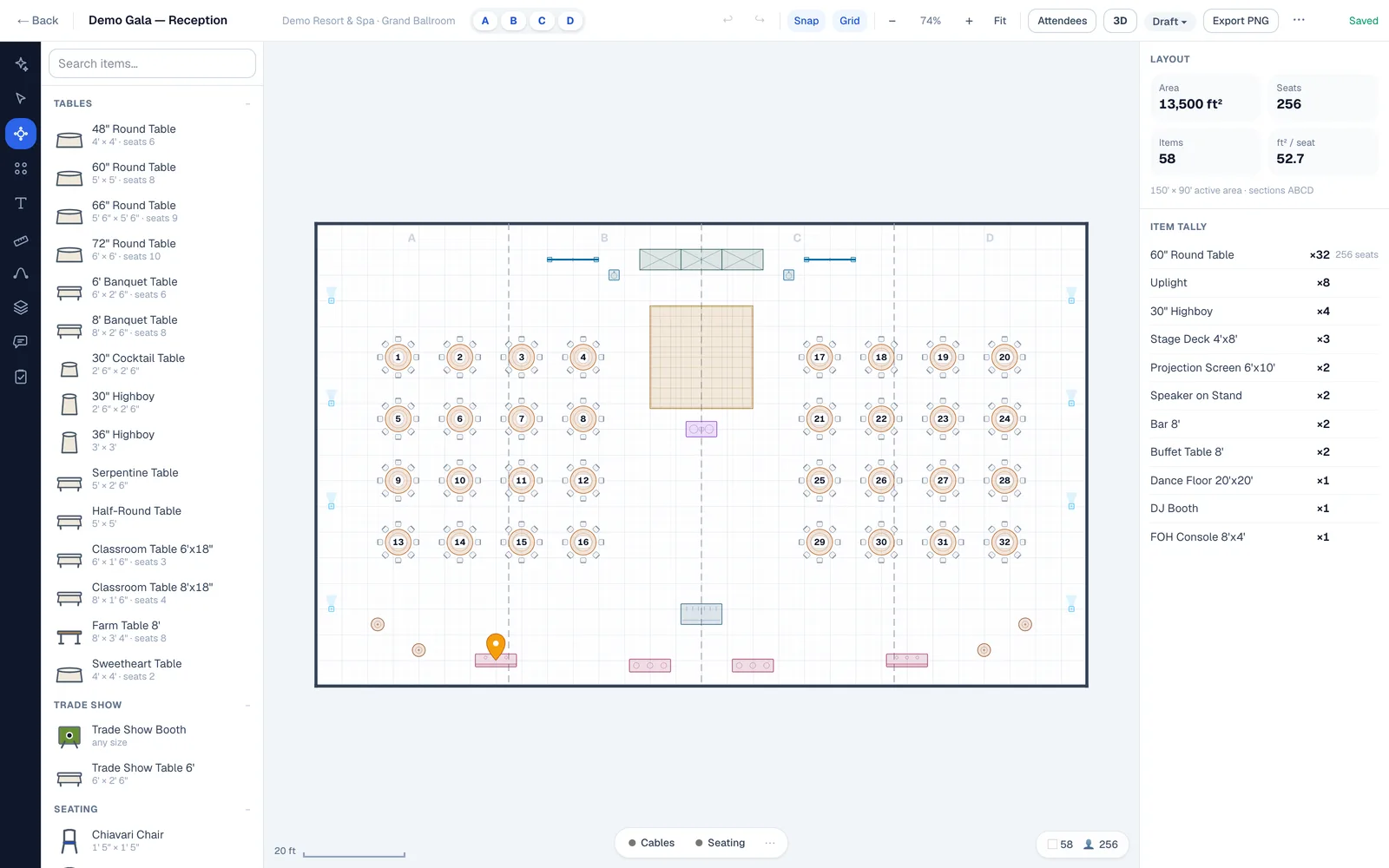
What “to scale” actually means
A drawing that is only roughly right is worse than no drawing
Most free floor plan tools are general-purpose drawing apps with a rectangle tool. You can make something that looks like a ballroom in ten minutes, and it will tell you nothing, because the rectangle labelled “60″ round” is whatever size you dragged it to.
In EventDiagram a 60-inch round is five feet across, a 6-foot banquet table is six feet long, and a 16-foot truss span is sixteen feet. Objects carry their real height too, which is what lets the same plan drive a 3D walkthrough instead of a second, separate drawing. When the plan says 22 rounds fit with a 20 by 20 dance floor and four-foot aisles, that is arithmetic, not an estimate — and it is the same arithmetic the room will do on the night.
Drawing one setup rather than the space itself? The event diagram maker covers what an event diagram has to carry and how one gets made.
The free plan, stated plainly
What free actually includes
No trial clock and no card. Here is exactly where the line sits, so you can decide before you invest an evening in it rather than after.
Free — $0
One active diagram. One editor. The core object library. Unlimited free viewers on a share link. Exports carry a watermark. Enough to draw one real room properly and see whether the geometry holds up.
Solo — $9/mo
Unlimited diagrams and events, the standard library, exports with no watermark, and share links a client can approve. The step most people take once the first plan has earned its keep.
Pro — $18/mo
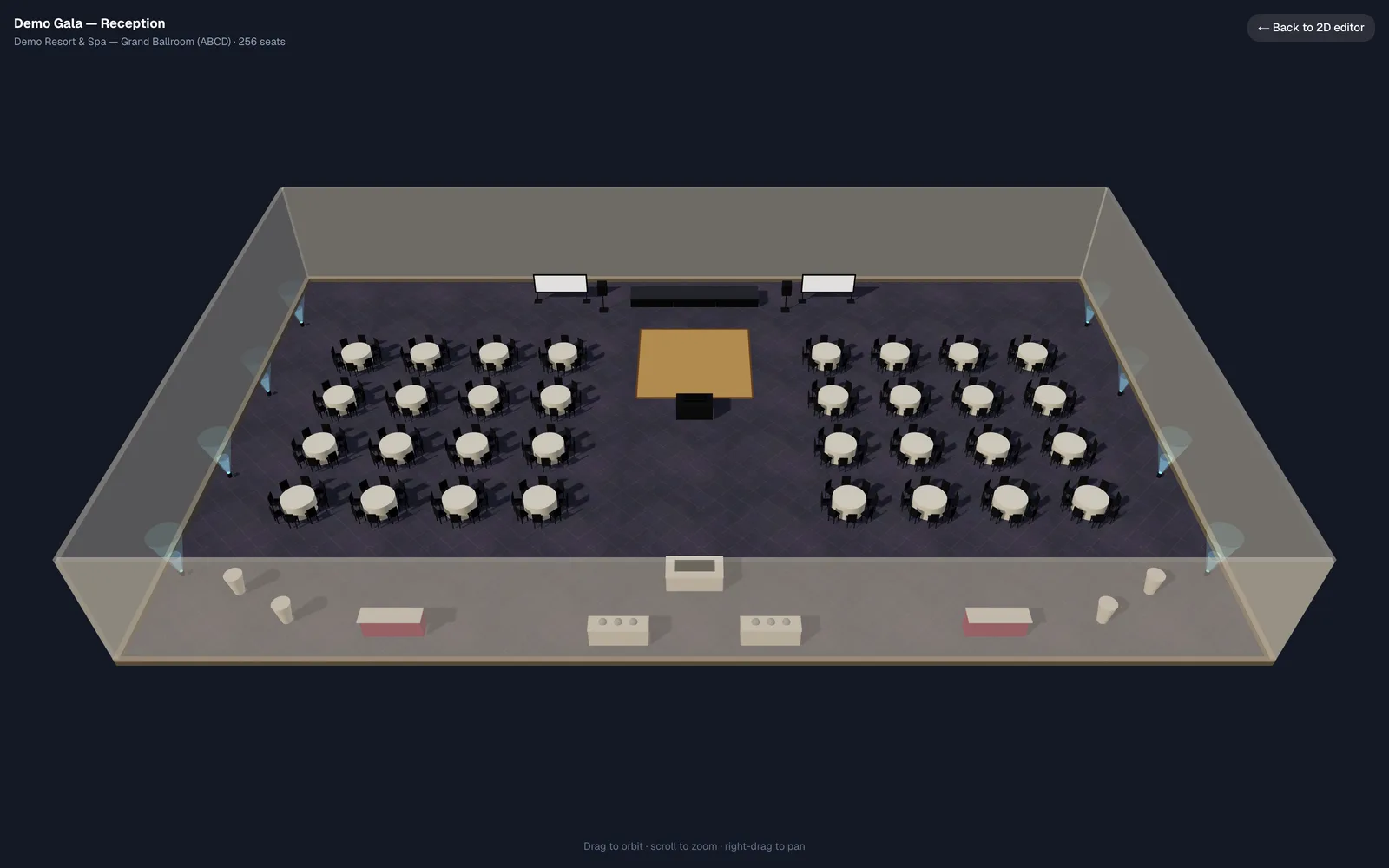
Three editors, the AI copilot, the 3D walkthrough, the full production library and your branding on every export.
Venues with a whole property to publish are on a different meter — billed per property and sized by its event spaces, with the first ones converted for you and an unlimited team. The full ladder, both families, is on the pricing page.
The object library
216 objects that know what they are
Rounds, banquets, classroom tables, cocktail highboys, stage decks and risers, dance floor sections, bars, buffets, lecterns, screens, LED wall, truss, drape, plants, pipe-and-drape runs. Each one carries its real footprint, its real height, and how many chairs it seats — so dropping a 72-inch round on the plan adds ten seats to the count without you typing a number.
Anything you own that is not in the catalog can be added as a custom item at its measured size, and it behaves like everything else.
Getting it out
A PDF the banquet captain can work from
Export to PDF, PNG or SVG at a stated scale, with a title block, dimensions and a load list of every object on the plan. On paid plans the export carries your logo and workspace name rather than ours.
Or skip the file: a share link opens the real plan in a browser, at full fidelity, for anyone you send it to — no licence, no account, unlimited viewers on every plan including free. Clients can comment on it, and on Solo and up, approve it.
Starting from what you already have
You do not have to draw it from scratch
Three ways in, and the right one depends on what is on your desk. Import a PDF of an existing diagram and it comes in as editable, to-scale objects rather than a flat background picture. Draw the space yourself from its dimensions — free on every plan, including the airwall sections of a divisible ballroom, which derive from one drawing rather than being redrawn per combination. Or send us the plans and we draw your main event spaces for you — up to five, by the size of the property.
Questions
Is the event floor plan software really free?
Yes, with a stated limit rather than a trial clock: one active diagram, one editor, the core object library, unlimited free viewers on share links, and watermarked exports. No card to start. If one room is all you need, free is all you need — and if you outgrow it, Solo is $9 a month.
Can I start from my venue’s existing floor plan?
Yes. Import a PDF and it arrives as editable objects at the right scale, not a background image you trace over. If what you have is an architect’s drawing, a photographed plan, or an export from another diagramming tool, send it through the venue setup offer and we convert it for you.
Is it really to scale?
Every object carries real dimensions in feet and inches, and so does the space. A 60-inch round measures five feet on the plan; click it and it says so. Capacity is counted off the chairs you actually placed, against the area you actually drew — which is why a plan can tell you it does not fit.
Does it work for outdoor events and unusual spaces?
Yes. A space is a traced perimeter, not a rectangle, so a lawn, a rooftop, a tented field or an L-shaped atrium is drawn as its real shape. Site plans can be built over an aerial photo.
What do I need to install?
Nothing. It runs in a browser, and the plans you share open in a browser too.
Draw one real room and see
The first plan takes about twenty minutes and costs nothing. If the geometry does not hold up, you will know inside one.