Free — no signup, no email
Seating chart maker: paste the list, get the tables.
Paste your guest list the way you already wrote it — couples, plus-ones, families, a spreadsheet straight from your RSVPs — and get every table seated, drawn to scale around a dance floor, with the people who must not sit together kept apart. Tap a guest to move them. Print the room, every table, the A–Z list for the escort table and the meal counts for your caterer.
The seating chart maker needs JavaScript. The method it uses is described in full below.
From seating chart to floor plan
The same tables, in your actual venue
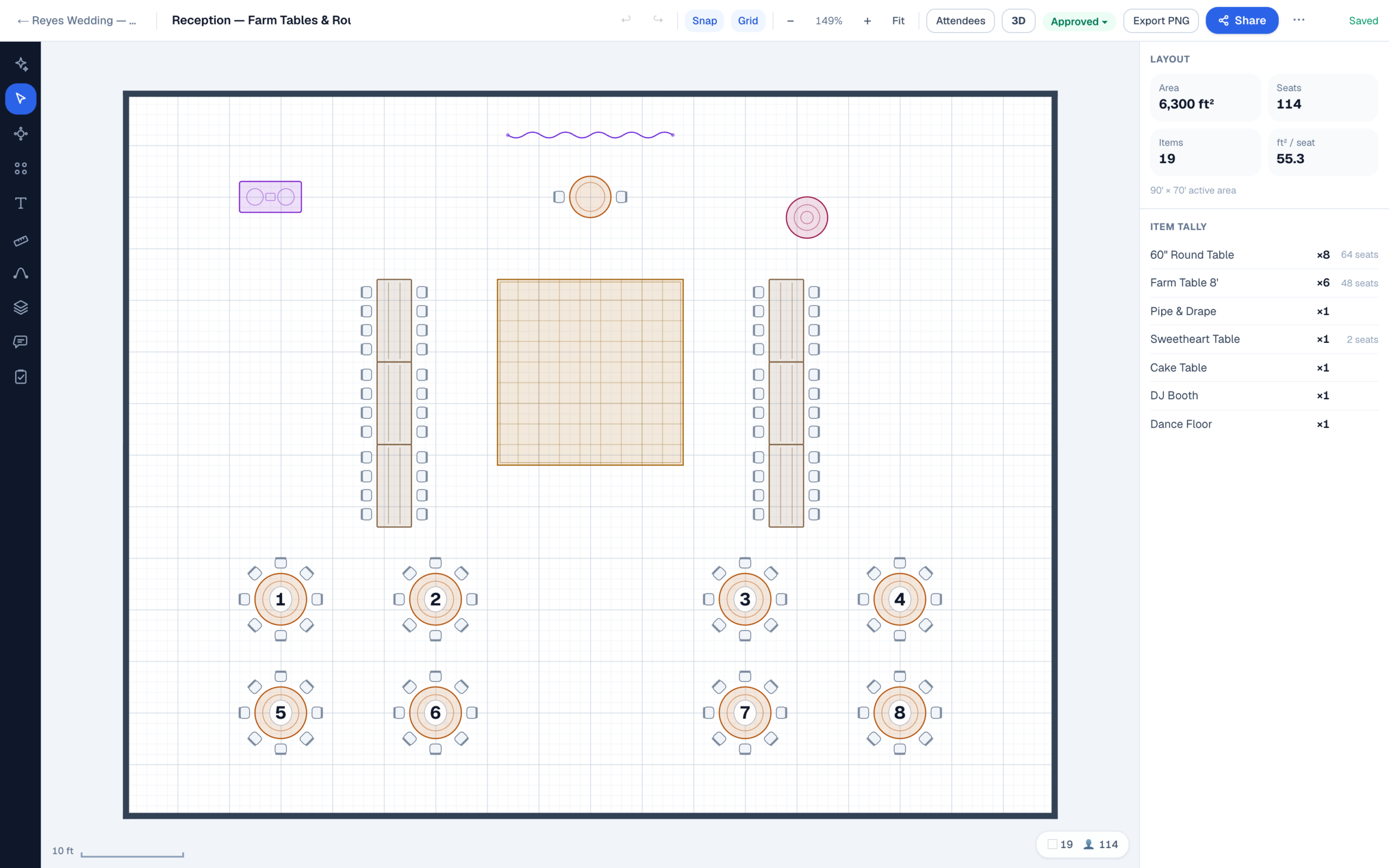
The chart above lays your tables out to scale in an empty room. Your venue is not an empty room: it has a door the caterers need, a bar that draws a crowd, a spot where the DJ has to plug in, and a dance floor that has to fit between them. EventDiagram draws that room — every table, chair and dance floor panel at its real size — and gives you one link your planner, your venue and your caterer all open. Press Customize this floor plan above and your tables come with you: sign up free and the plan opens in the editor, every table already in place.
Start free with one plan. When the ceremony and the cocktail hour need drawing too, or the PDF needs to go out without a watermark, Solo is $9 a month and cancels whenever you like.
How to use it
Write the list the way you already write it
One guest per line, and there are no rules you have to learn first. A line ending in a colon — Whitfield family: — starts a group, and everyone under it sits together until the next blank line. Tom & Ana Whitfield is two guests who stay together, Kwame Osei +1 saves a seat for his date, and The Kalinowskis (5) holds five seats for a family whose names you have not collected yet. Two group names are special: Couple: and Wedding party: fill the sweetheart or head table.
Already have a spreadsheet? Copy the columns out of Excel, Google Sheets or your RSVP site’s export, header row and all, and paste. It finds the name, party, meal and RSVP columns by their headings and leaves out anyone who declined. Add a Keep apart pair for the two guests who cannot share a table, and the chart is built around them.
Everything in a group is kept at one table wherever the arithmetic allows it. When it does not allow it — a party of twelve at tables of ten — the chart still gets built, and the parties that had to be split are named in a warning above the tables. That is the part most seating tools leave out, and it is the only part anyone gets upset about.
The method, stated
Largest party first, into the table that wastes least
Seating a guest list is a bin-packing problem, and packing bins perfectly is one of those problems a computer cannot solve quickly for any interesting number of guests. So this does what a good planner does by hand: it sorts the parties biggest first, and puts each one into the table that will have the least space left over afterwards. When nothing can take a party whole, it opens a new table rather than breaking the party up — the split only happens when a party is genuinely bigger than a table, or when you have capped the table count.
The result is stable: the same list gives the same chart every time, and tables are numbered in the order your list names people, so whoever you write first sits at Table 1, drawn nearest the top table. It also packs well. Two hundred guests in forty families of five, at ten to a table, comes out as twenty full tables with no family split at all.
| Situation | What it does |
|---|---|
| A party fits a table with room to spare | Chooses the fullest table it still fits, so the spare seats stay together for a later party |
| No table can take the whole party | Opens a new table rather than splitting them |
| A party is bigger than one table | Splits across consecutive tables and names the party in a warning |
| You set a table limit and it runs out | Fills the emptiest table instead — it will over-run the limit rather than leave a guest unseated |
| Single names with no group | Treated as parties of one and used to fill the gaps |
| Two guests marked Keep apart | Never seated together; if a family holds both, it becomes two parties. If no arrangement can separate them, both are named in a warning |
| You move a guest by hand | Everyone you have placed stays placed; later additions to the list fill the open seats around them |
Nothing leaves your browser. The guest list is saved in this browser only, so a refresh does not cost you an evening’s work, and it is never sent to us or anyone else — which is the honest answer to the question anyone should ask before pasting a hundred real names into a website.
Before the chart
Get the table size right first
A seating chart is downstream of a decision most people make backwards: how many to a table. A 60″ round seats eight comfortably and ten at a squeeze — the difference is about 4.8 inches of elbow room each, which is a whole evening’s comfort. A 72″ round takes ten comfortably and twelve at most. Going up one table size is almost always a better answer than adding two more chairs to the round you have.
| Table | Comfortable | Maximum | Floor it takes with chairs |
|---|---|---|---|
| 48″ round | 6 | 8 | 8ft 7in square |
| 60″ round | 8 | 10 | 9ft 7in square |
| 66″ round | 9 | 11 | 10ft 1in square |
| 72″ round | 10 | 12 | 10ft 7in square |
| 6ft banquet | 6 | 8 | 10ft 7in × 7ft 1in |
| 8ft banquet | 8 | 10 | 12ft 7in × 7ft 1in |
The full arithmetic behind those counts — place width, elbow room and the floor each seat really costs — is in how many people fit at a 60-inch round table. If the tables have to fit a room as well as a guest list, the room capacity calculator answers that half.
FAQ
Seating chart questions
Is there a free seating chart maker?
This one. No signup, no email, no watermark and no limit on the guest list. It seats every table, draws them to scale around a dance floor, and prints the table list, the alphabetical escort list and the meal counts. What it does not draw is your venue — for tables placed against the real walls, doors and bar, that is the free plan of the app.
How do I make a wedding seating chart?
Decide the table size first, then group the list — families, the two sides, university friends, work — and let the groups drive the tables. Put a heading line above each group, write the people who matter most first so they sit nearest you, and mark the pairs who must not share a table. Then tap through the room: expect to move two or three guests by hand, because you know things about your guests no list does.
Can it keep families together?
Yes, that is the point of the group column. A party is only ever split when it is physically larger than a table, or when you have capped the number of tables — and when that happens the party is named above the chart so you can fix it rather than discover it on the night.
Can I stop two people sitting together?
Yes. Add them as a Keep apart pair and they are seated at different tables, even when they are in the same family. If the tables genuinely leave no way to separate them — a one-table limit, say — the chart names them rather than quietly seating them side by side.
Is my guest list private?
Completely. The seating runs in your browser and the list is saved only in that browser, so it is there when you come back. Nothing is uploaded or logged, and no name ever leaves the page. You can turn your wifi off and it still works.
How many people should I put at each table?
Eight at a 60″ round, ten at a 72″, and six a side plus two ends on an 8ft banquet table. Those are the comfortable numbers rather than the maximums — the maximum figures on a rental list assume nobody needs elbow room for three hours.
Now put the tables in the room
A chart says who sits together. A plan says whether the tables fit, where the dance floor goes, and what the servers walk through.
No credit card required