Capacity & Diagram Check
The seat count that follows the drawing.
Auto-fill a setup and the count is live: move a table, add a dance floor, split the room on an airwall, and the number moves with it. Then Diagram Check grades the finished plan and tells you where it is wrong.
Auto-fill
Fill the room, then argue with it
Pick a setup and a table, and the room fills as a real grid — rows and columns of whole tables at the spacing you set, not a total that may not fit any arrangement. You can also work backwards: give it a guest count and it returns the grid that seats them, or tells you plainly that the room will not.
What makes it useful is what happens next. Drag a table out of the grid and the count drops. Drop in a stage and the tables behind it are the ones you lose. Split the ballroom on its airwall and each section recounts on its own. The number is not a result you generated once — it is a property of the drawing, and it stays true while you argue with the layout.
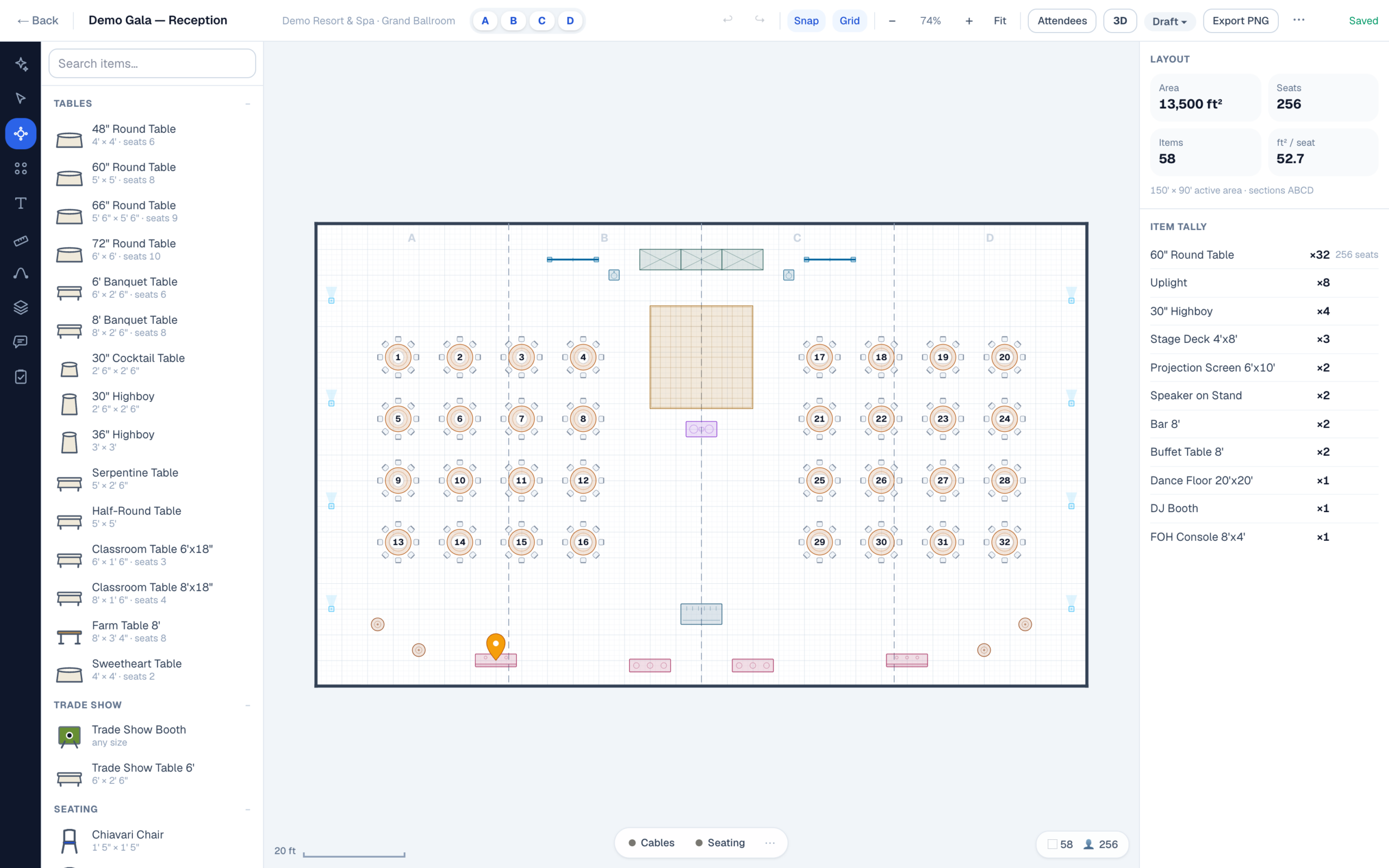
Diagram Check
It tells you when it is wrong
A capacity number that only ever agrees with you is not worth much. Diagram Check runs against the finished plan and reports what it finds: tables closer than 4ft, density under 10 square feet a seat, anything sitting outside the room outline. Findings are clickable — selecting one highlights the exact tables it means, so “too tight somewhere” becomes “these two, here.”
What it will not do is tell you the room is legal. Occupant load, exit capacity and aisle width are set by adopted code and by your local authority having jurisdiction, and they vary by building and by jurisdiction. Anyone publishing a single number for that is guessing on your behalf. Draw it to scale, measure the aisle on the plan because the plan is in real feet and inches, and take the drawing to the person whose job it is to say yes.
The same arithmetic runs everywhere it is asked — in the editor, in the AI copilot, and on the free room capacity calculator, which explains in full where the numbers come from. Which setup you are counting changes the answer more than anything else; the setup styles page walks through all eight and how each one packs.
Stop guessing at the room
Draw it to scale, auto-fill the setup, and read the count off a plan you could hand to a crew.
No credit card required